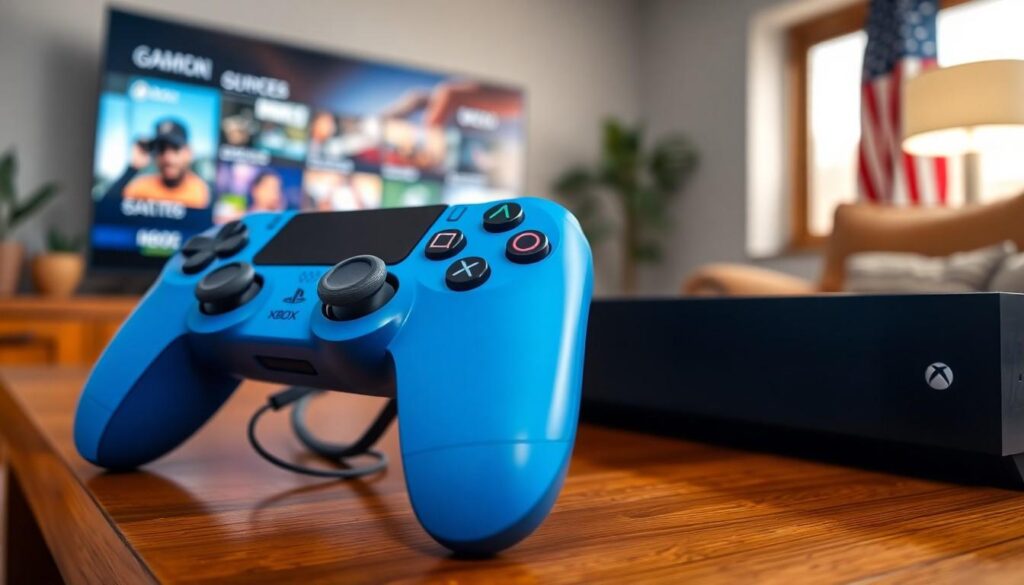
Gamers often find themselves in a fierce debate: PlayStation or Xbox? But what if there was a way to bridge that gap? Imagine the power of your trusty PlayStation controller in the hands of an Xbox player. It might sound like a sci-fi fantasy, but it’s a question that’s sparked curiosity and a few chuckles in the gaming community.
Understanding Controller Compatibility
Controller compatibility plays a significant role in determining whether a PlayStation controller can connect to an Xbox console. Various factors influence this potential, including technology and input methods used by each platform.
The Basics of Controller Connectivity
Connectivity relies on specific protocols used by devices. PlayStation controllers primarily use Bluetooth, while Xbox controllers utilize a proprietary wireless connection. Connecting a PlayStation controller to an Xbox may not be straightforward due to these differences. Adapters exist that can bridge this gap, allowing PlayStation controllers to function with Xbox consoles. These adapters create a communication channel, enabling gameplay on different platforms. Users must ensure compatibility with their specific controller and Xbox model.
Differences Between PlayStation and Xbox Controllers
Design and layout mark clear distinctions between PlayStation and Xbox controllers. PlayStation controllers feature a symmetrical design with thumbsticks located parallel, while Xbox controllers adopt an offset layout for thumbsticks. Button placements also differ, influencing user comfort and familiarity. Trigger mechanisms vary, with Xbox controllers typically offering a more responsive feel. Despite these variations, both controllers excel in ergonomics, encouraging extended play sessions. Understanding these differences clarifies the challenges and opportunities in cross-platform controller use.
Methods to Connect a PlayStation Controller to an Xbox

Several methods exist for connecting a PlayStation controller to an Xbox. Adapters and converters often facilitate this process, enhancing compatibility between different console types.
Using Adapters and Converters
Adapters serve as a bridge between PlayStation controllers and Xbox consoles. Some popular options include the CronusMax Plus and the Titan One, both designed to allow cross-platform compatibility. Users connect the adapter to the Xbox console through USB, then plug the PlayStation controller into the adapter. These devices often support additional features like button mapping and macro functions, enriching the gaming experience further. Ensuring the latest firmware is installed enhances performance and compatibility with various controller models.
Wireless Connection Options
Wireless connectivity presents another avenue for using a PlayStation controller with an Xbox. Bluetooth adapters compatible with Xbox consoles enable wireless use without extra cables. These adapters connect to the console’s USB port while the PlayStation controller pairs via Bluetooth. Users appreciate the freedom of movement wireless controllers offer. Latency can be an issue, so choosing high-quality adapters minimizes delays. Following the setup instructions accurately leads to a hassle-free connection between both devices.
Potential Issues and Limitations
Connecting a PlayStation controller to an Xbox console presents several potential issues and limitations. Compatibility often emerges as the primary concern due to differing communication protocols between the devices. PlayStation controllers utilize Bluetooth technology, while Xbox controllers depend on a proprietary wireless connection. This difference complicates direct connections, requiring specialized adapters or converters to bridge the gap.
Compatibility Challenges
Compatibility challenges arise frequently when attempting to connect a PlayStation controller to an Xbox. Many adapters do not support all PlayStation controller models, limiting options for gamers. It is essential to check specific adapter compatibility with the desired controller model. Additionally, some gamers might encounter firmware issues, resulting in unreliable connections. Incorrect configurations can lead to functionality problems, making the usual gaming experience less enjoyable.
Performance and Functionality Concerns
Performance and functionality concerns also play a significant role in this connection. Latency issues can disrupt gameplay, particularly in competitive scenarios. Players often experience delays between input and response, impacting their performance. Feature limitations may arise, as some adapters do not support specific functionalities like vibration or motion controls. Gamers seeking an optimal gaming experience should carefully research products to avoid these performance pitfalls.
User Experiences and Feedback
Gamers have shared a variety of experiences regarding the connection of a PlayStation controller to an Xbox console. Insights from the community reveal a spectrum of feedback on this unconventional setup.
Positive Experiences
Many users express satisfaction when using adapters like CronusMax Plus and Titan One. These devices facilitate seamless gameplay, enabling familiar controls on the Xbox. Users note successful button mapping features, enhancing their overall experience. A significant number appreciate the wireless options for added convenience, allowing them to play without cables. Those who favor the PlayStation controller’s design find comfort in using it on Xbox, with some reporting little to no latency during gameplay. These positive aspects encourage enthusiasts to explore this cross-platform possibility.
Negative Experiences
Issues arise for several gamers attempting to connect PlayStation controllers to Xbox consoles. Compatibility often presents a challenge, with some adapters failing to support specific models. Frustrations about firmware updates also surface, leading to unreliable connections and unexpected disconnections. Players note that some adapters reduce performance, introducing lag that affects competitive play. Missing features like vibration and motion controls disappoint many users, limiting the gaming experience. Overall, negative feedback emphasizes the need for thorough research before committing to any specific adapter.
Conclusion
Connecting a PlayStation controller to an Xbox console is a fascinating endeavor that showcases the evolving landscape of gaming. While direct compatibility is hindered by differing technologies, adapters like CronusMax Plus and Titan One provide viable solutions for gamers eager to bridge the gap.
User experiences vary widely, reflecting both the potential and pitfalls of this crossover. Some gamers enjoy seamless integration and customizable features, while others face frustrating limitations. Ultimately, thorough research is crucial for anyone looking to enhance their gaming experience with a PlayStation controller on an Xbox. With the right tools and knowledge, players can enjoy the best of both worlds.